Faster onboarding for seamless household management in Nines
Ready to organize information about your properties, assets, residents and staff in four easy steps? Introducing a faster way to start managing properties with Nines.
At Nines, we want to make household management seamless and stress-free. But taking the first step to getting organized and documenting your household’s most important information can be daunting, whether you’re moving information from spreadsheets, paper binders, or your own head.
Today, we’re launching an easier way to build out your properties in Nines — the first in a series of updates to make it easier and faster to add new information to your Nines account.
With our new property onboarding flow, you can:
- Add zones, assets, residents and staff members to a property in bulk — automatically building out pages for each new item
- Add zones based on common suggestions, rather than starting from scratch
- Select assets from smart suggestions based on each zone
Plus, with smart suggestions for zones and assets, you’ll save time and capture details you might’ve missed.
Here’s a preview of how you can now build out a property in four easy steps.
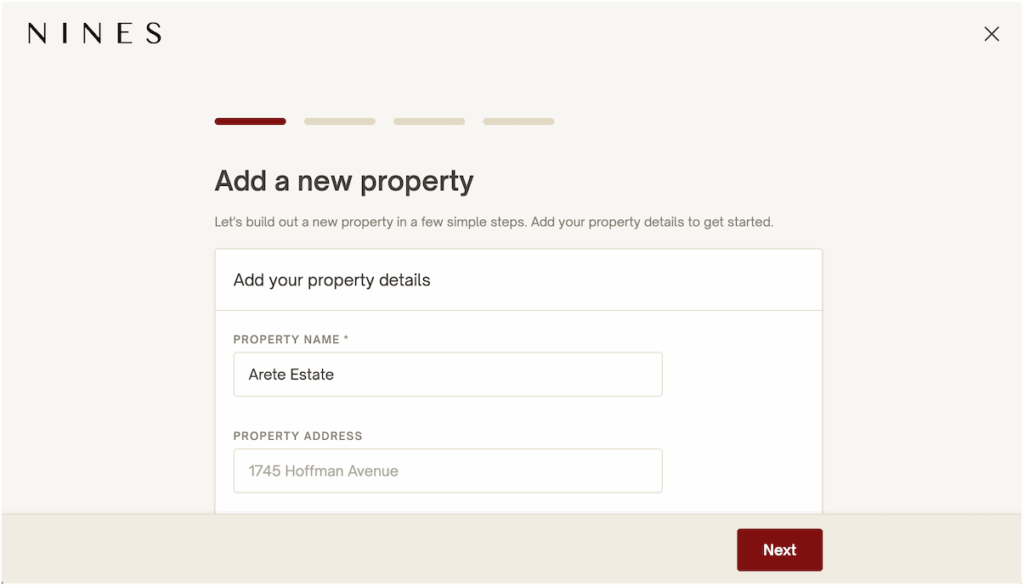
Step 1: Add your basic property details
Start with the most basic details: a name for your property and (if you want) the address.
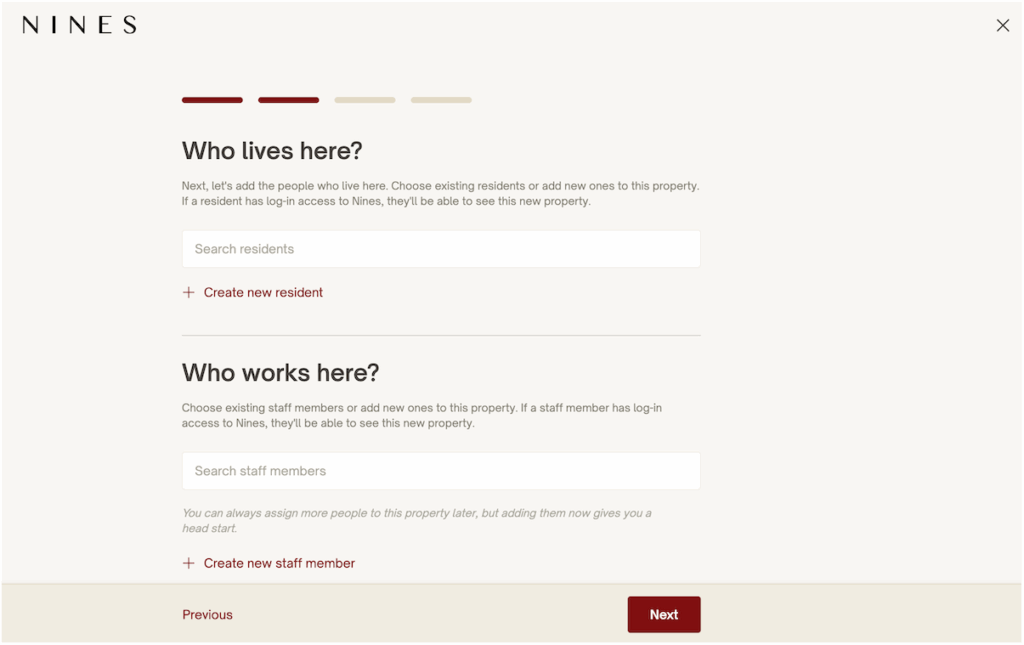
Step 2: Add residents and staff
Who lives and works here? Quickly add existing residents and staff members to this property, or create new ones. If someone already has log-in access to your Nines account, they’ll be able to see this new property immediately.
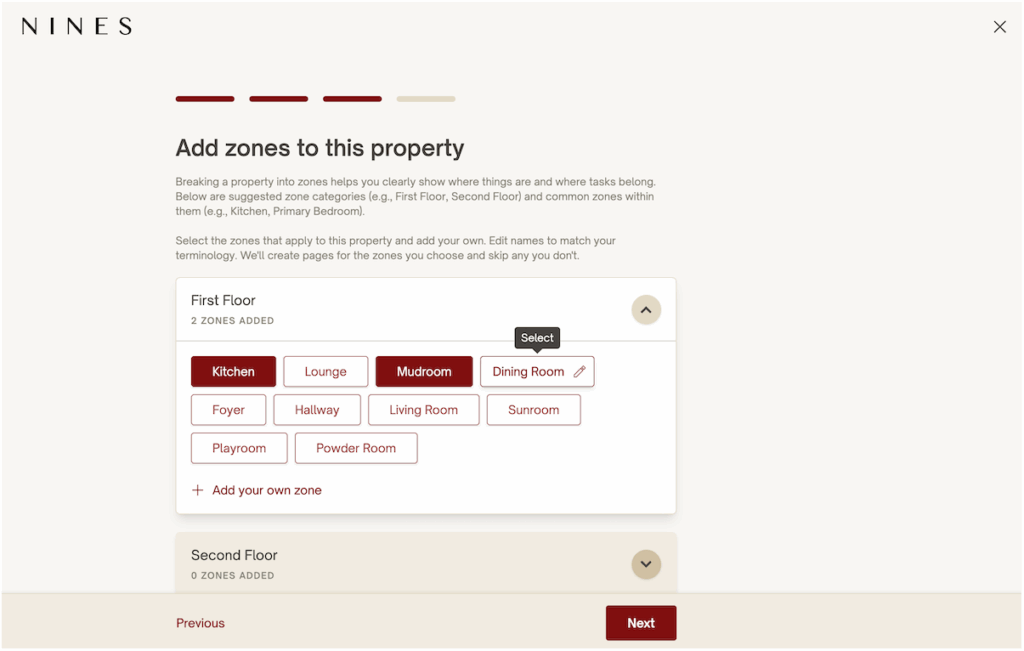
Step 3: Add zones
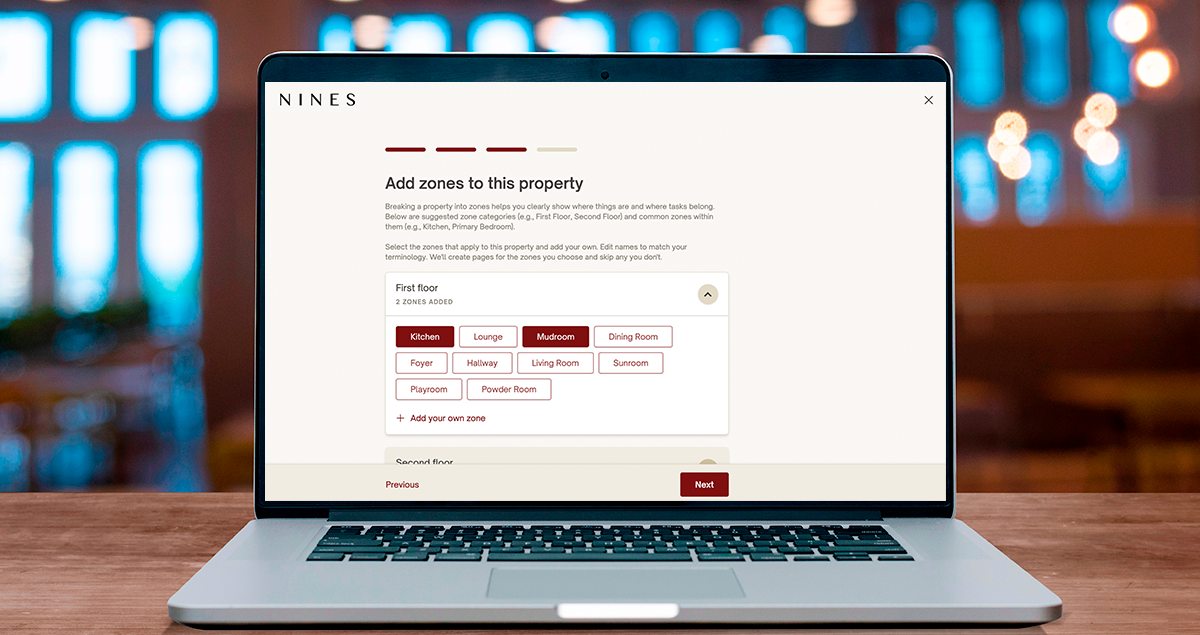
Next, break the property into zones. You can choose from preset common options, like Kitchen and Living Room, or create your own custom zones. All you need is a name, and Nines will automatically build out each zone page for you.
Step 4: Add assets
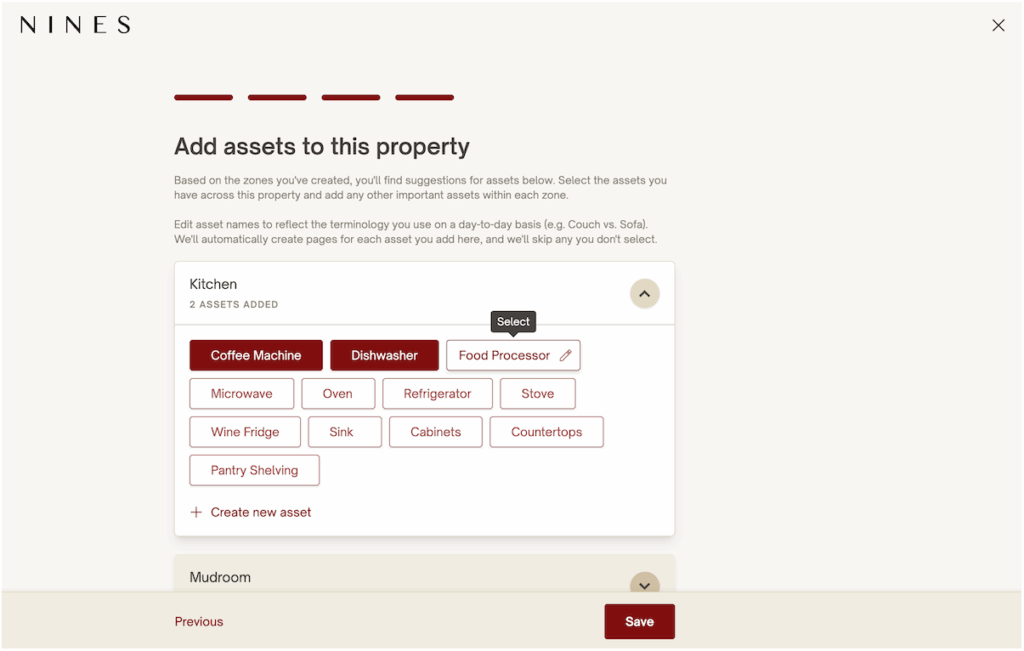
Nines will suggest assets based on each zone you select — for example, if you select the “Kitchen” zone, you’ll see suggestions like “Dishwasher” and “Oven” so you can quickly add relevant assets. You can edit asset names to reflect how you typically refer to each one, and create your own custom assets.
A solid framework in minutes
With these four easy steps, you can build a solid framework for your property, the people who keep it running, and the most important details within it. Rather than starting with a blank state, you’ll have a head start for building out your household manual.
And this is just the beginning. Up next, you’ll see similar workflows for adding zones and assets to existing properties. Then, you’ll start to see AI-powered suggestions for tasks and lists based on your assets, followed by AI-powered data extraction from documents and spreadsheets.
We look forward to hearing your feedback — if you have any questions or ideas, please reach out to our team. We’re grateful to work with you to build solutions that make your day easier!
See why estate managers and family offices choose Nines
schedule a demo