Introducing AI-Powered Tasks and Lists
Get AI-generated suggestions for tasks and lists to help you care for and maintain assets like cars, appliances, jewelry, art and more. Check out the first in a series of new AI-powered features designed to help you save time and ensure nothing slips through the cracks.

Today, Nines is launching AI-powered task and list suggestions — the first in a series of new AI releases designed to help you save time and gain new estate management insights.
As always, we’ve built these features with the highest commitment to security, accuracy and transparency. To give you an extra layer of control, an admin on your Nines account must opt in before any user can access AI-powered features.
We’ll share a bit about our approach below, but first, let’s take a look at the two new features in today’s release.
Add an asset, get AI-powered task suggestions
Now, when you add a new asset to Nines, like a car, an appliance, a piece of jewelry or a work of art, you’ll have the option to get AI-generated suggestions for tasks related to that asset.
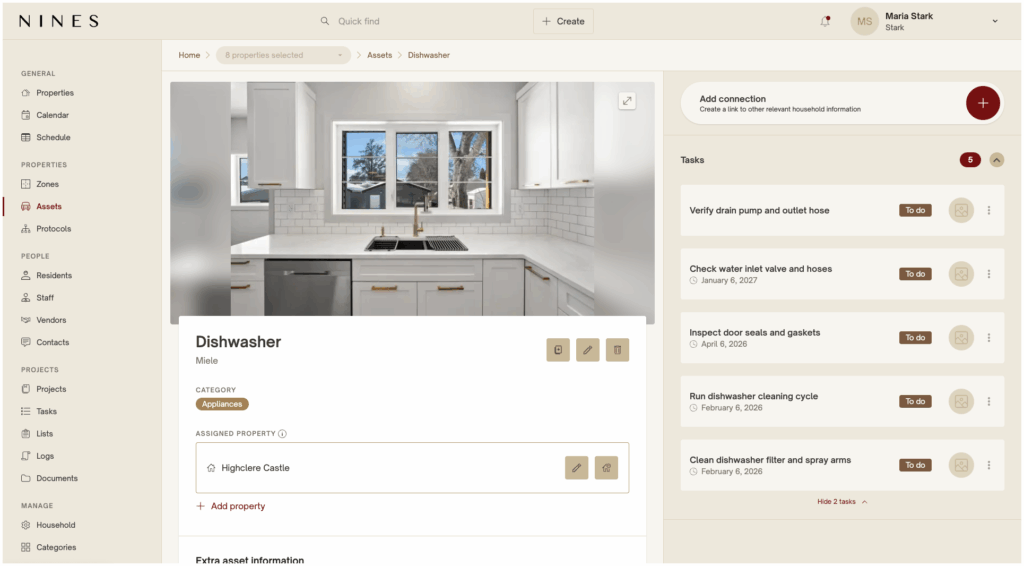
For example, if we add a new dishwasher, we’ll get five relevant suggestions, like a monthly task to clean the filter and spray arms.
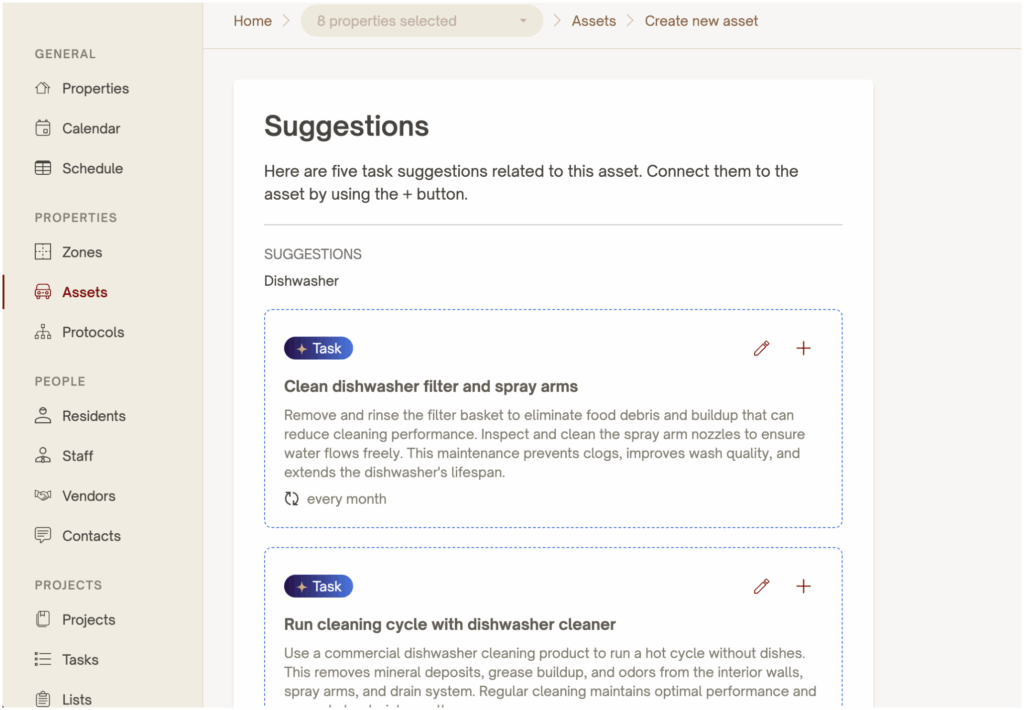
You can choose to add a task, skip it, or edit it. When you choose to edit the task first, you can assign it to someone on your team, adjust the frequency, and tailor the instructions to your unique asset.
Then, Nines will automatically create those tasks and connect them to that asset.
Create a list, get a head start with AI-generated list items
When you create a list in Nines, you can start from scratch, use one of our pre-built templates, or copy and paste from a document or spreadsheet — and now, you can get a head start with AI-generated list items.
As always, you’ll start by adding a list name, description and category. Then, you’ll have the option to get suggestions for this list based on the name, description and category you added — so the more details you add, the better the list will be.
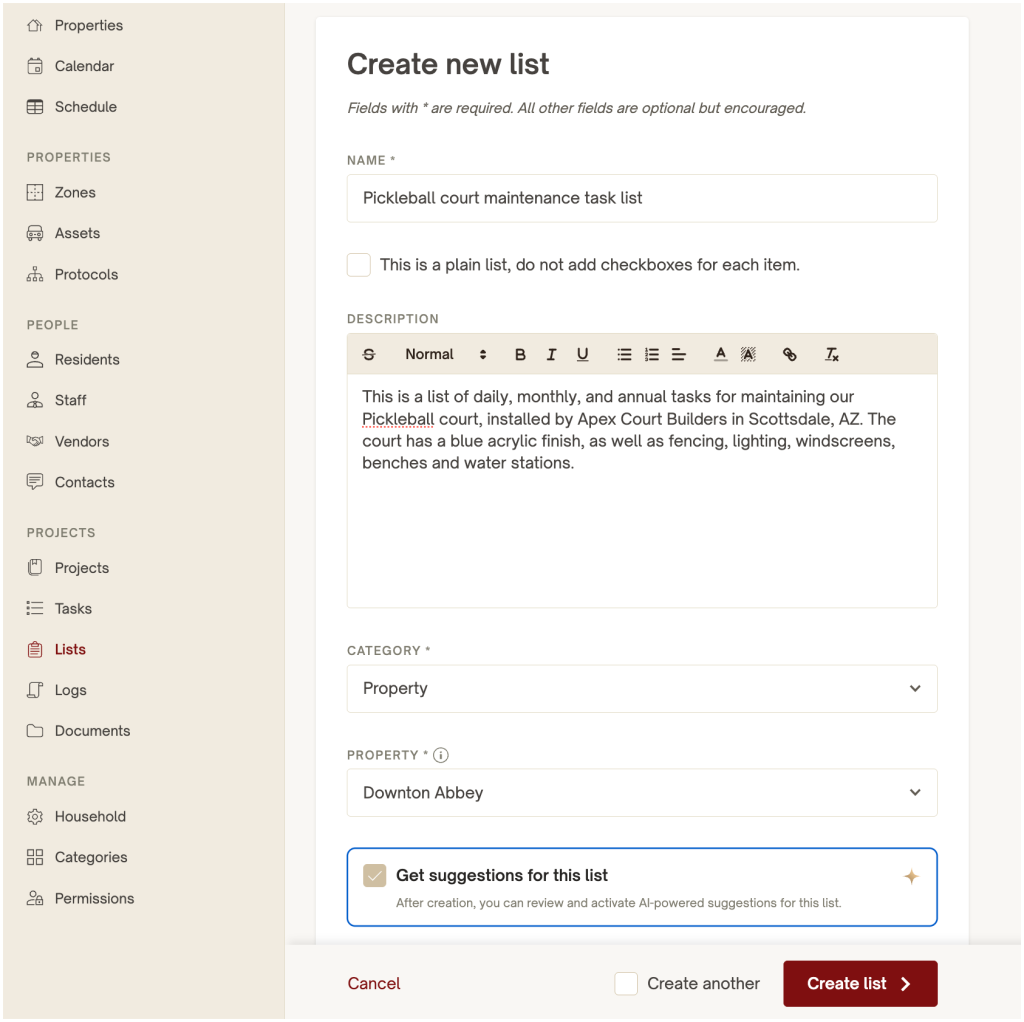
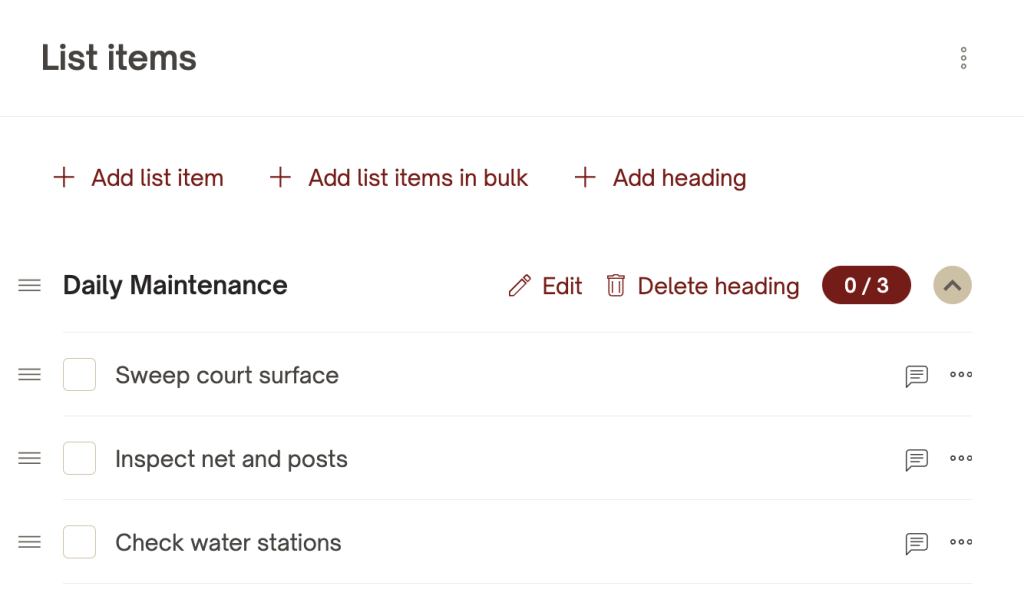
For example, this prompt includes a mention of “daily, monthly and annual tasks” for maintaining the pickleball court — so in the next step, the list is created with subheaders for daily, weekly, monthly and annual tasks. Now, you have a head start on your list items, and you can easily add, delete and edit items as needed.
Our approach to AI in Nines
Our goal with building AI-powered features is to help you save time and make better decisions with useful, accurate insights — without compromising security.
You have the choice to opt in to these features across your account. And whether you’re using our AI-powered tools to summarize information, draft messages, organize tasks and logs, or surface the right details at the right time, you’ll always maintain human oversight and full transparency.
What’s next
Right now, we’re working on AI-powered features for summarizing and pulling insights out of Documents. As we add new features, we’d love to hear your thoughts! Reach out to our team with any questions, feedback and ideas.
Log in to your account to try it out today! Not using Nines? Schedule a demo.
Related articles
Faster onboarding for seamless household management in Nines
7 ways estate managers keep track of inventory and assets with Nines
Explore the easiest way to manage your properties and everything that comes with them
schedule a demo